Process flow chart
info
Charts are available with Avalonia Pro.
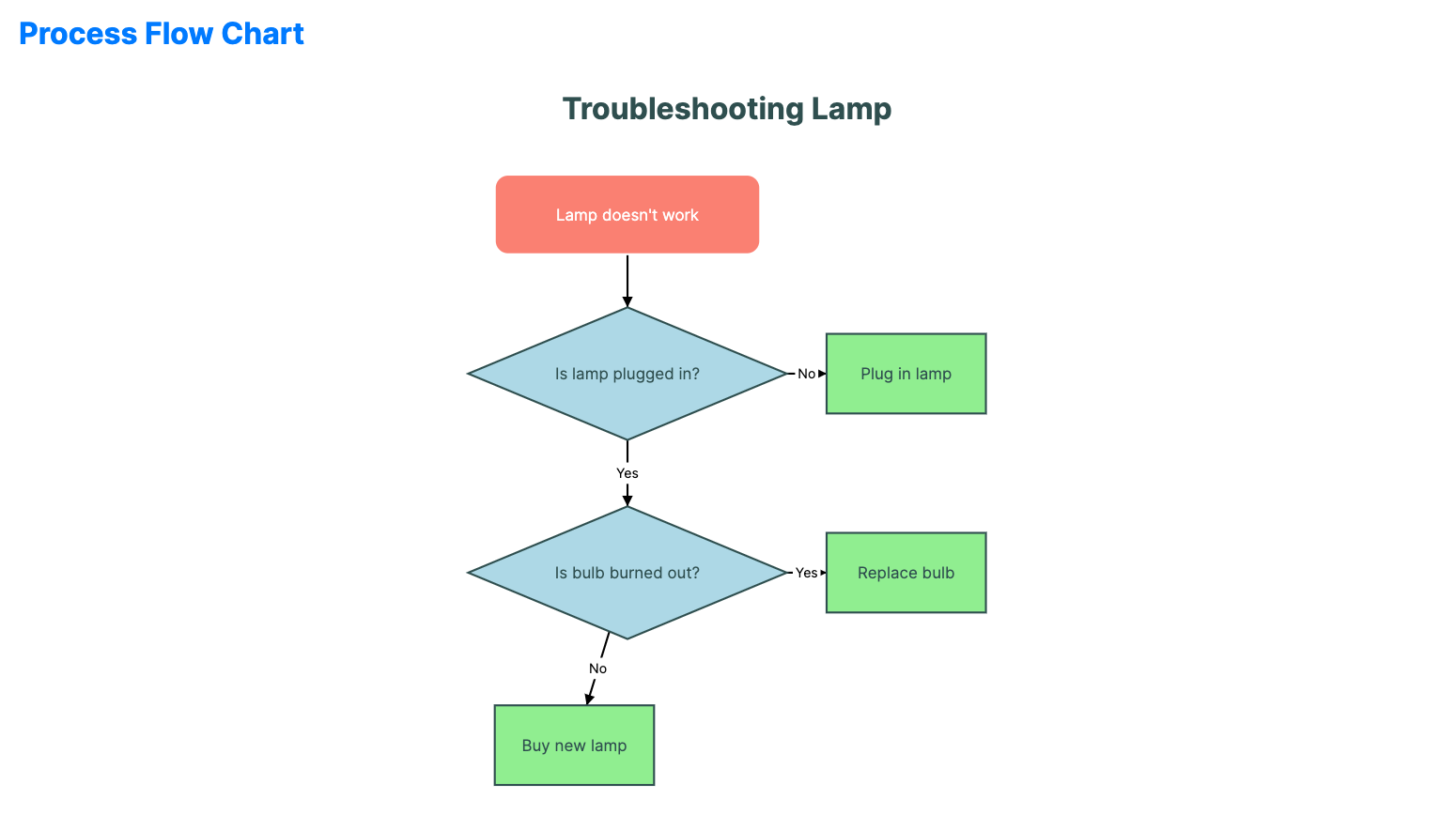
Process flow charts are used to visualize sequences of steps, decisions, and logical outcomes in a system. In Avalonia.Controls.Charts, this is implemented with FlowChart, FlowNode, and FlowEdge.
When to use
- Workflow mapping: Visualizing business processes or approval chains.
- Decision trees: Showing the logic path for troubleshooting or user journeys.
- System architecture: Mapping connections between different modules or services.
Code example
XAML
<FlowChart xmlns="https://github.com/avaloniaui" Name="FlowChartSample"
                  Title="Troubleshooting Lamp"
                  Height="400"
                  Nodes="{Binding FlowNodes}"
                  Edges="{Binding FlowEdges}" />
Data model (C#)
using Avalonia.Media;

public ObservableCollection<FlowNode> FlowNodes { get; } = new()
{
    new()
    {
        Id = "start",
        Text = "Lamp doesn't work",
        Shape = FlowShape.RoundedRect,
        X = 300,
        Y = 50,
        Background = Brushes.Salmon,
        Foreground = Brushes.White,
        Width = 200
    },
    new()
    {
        Id = "check_plug",
        Text = "Is lamp plugged in?",
        Shape = FlowShape.Diamond,
        X = 280,
        Y = 150,
        Width = 240,
        Height = 100,
        Background = Brushes.LightBlue
    },
    new()
    {
        Id = "plug_in",
        Text = "Plug in lamp",
        Shape = FlowShape.Rectangle,
        X = 550,
        Y = 170,
        Background = Brushes.LightGreen
    },
    new()
    {
        Id = "check_bulb",
        Text = "Is bulb burned out?",
        Shape = FlowShape.Diamond,
        X = 280,
        Y = 300,
        Width = 240,
        Height = 100,
        Background = Brushes.LightBlue
    },
    new()
    {
        Id = "replace_bulb",
        Text = "Replace bulb",
        Shape = FlowShape.Rectangle,
        X = 550,
        Y = 320,
        Background = Brushes.LightGreen
    },
    new()
    {
        Id = "repair",
        Text = "Buy new lamp",
        Shape = FlowShape.Rectangle,
        X = 300,
        Y = 450,
        Background = Brushes.LightGreen
    }
};

public ObservableCollection<FlowEdge> FlowEdges { get; } = new()
{
    new() { SourceId = "start", TargetId = "check_plug" },
    new() { SourceId = "check_plug", TargetId = "plug_in", Label = "No" },
    new() { SourceId = "check_plug", TargetId = "check_bulb", Label = "Yes" },
    new() { SourceId = "check_bulb", TargetId = "replace_bulb", Label = "Yes" },
    new() { SourceId = "check_bulb", TargetId = "repair", Label = "No" }
};
Common properties (FlowChart)
| Property | Description | Default |
|---|---|---|
Nodes | Collection of FlowNode items representing process steps. | null |
Edges | Collection of FlowEdge items representing connections. | null |
NodeCornerRadius | Rounding of rendered node boxes. | 10.0 |
Groups | Optional collection of FlowGroup containers. | null |
FlowEdge.ShowArrow | Whether the connection ends with an arrow head. | true |