Mindmap / brainstorming
info
Charts are available with Avalonia Pro.
Mindmaps are divergent diagrams used for brainstorming and project planning, radiating outward from a central topic to related ideas and sub-tasks. In Avalonia.Controls.Charts, this layout is built on top of FlowChart.
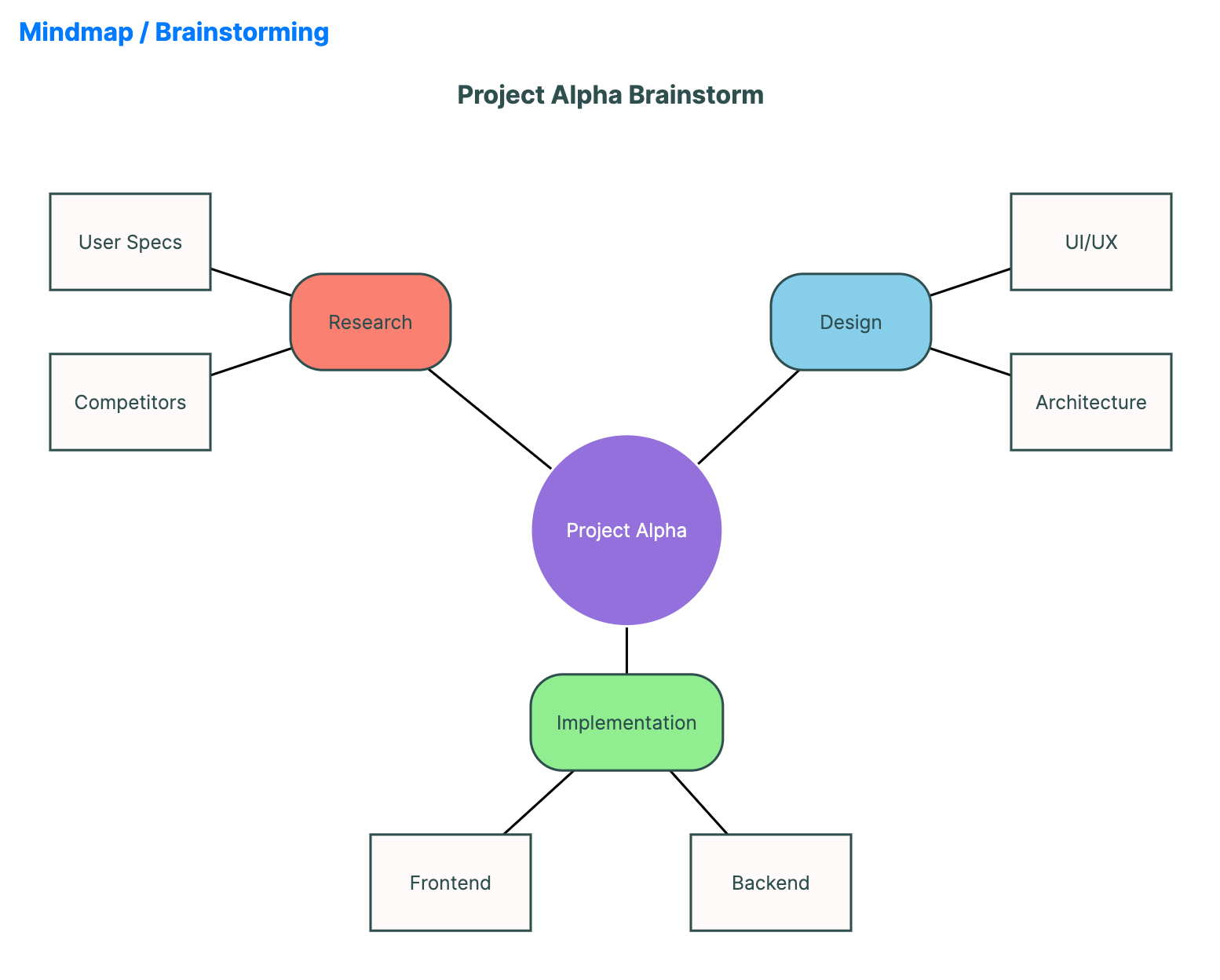
When to use
- Idea generation: Capturing and organizing thoughts during a meeting.
- Project scope: Mapping out different modules and their requirements.
- Knowledge representation: Visualizing complex concepts and their interconnectedness.
Code example
XAML
<FlowChart xmlns="https://github.com/avaloniaui" Name="MindmapSample"
                  Title="Project Alpha Brainstorm"
                  Height="600"
                  Nodes="{Binding MindmapNodes}"
                  Edges="{Binding MindmapEdges}"
                  CornerRadius="20" />
Data model (C#)
using Avalonia.Media;

public ObservableCollection<FlowNode> MindmapNodes { get; } = new()
{
    new()
    {
        Id = "root",
        Text = "Project Alpha",
        X = 350,
        Y = 250,
        Shape = FlowShape.Circle,
        Background = Brushes.MediumPurple,
        Foreground = Brushes.White,
        Width = 120,
        Height = 120
    },
    new()
    {
        Id = "res",
        Text = "Research",
        X = 200,
        Y = 150,
        Shape = FlowShape.RoundedRect,
        Background = Brushes.Salmon,
        Width = 100
    },
    new()
    {
        Id = "re1",
        Text = "User Specs",
        X = 50,
        Y = 100,
        Shape = FlowShape.Rectangle,
        Background = Brushes.Snow,
        Width = 100
    },
    new()
    {
        Id = "re2",
        Text = "Competitors",
        X = 50,
        Y = 200,
        Shape = FlowShape.Rectangle,
        Background = Brushes.Snow,
        Width = 100
    },
    new()
    {
        Id = "des",
        Text = "Design",
        X = 500,
        Y = 150,
        Shape = FlowShape.RoundedRect,
        Background = Brushes.SkyBlue,
        Width = 100
    },
    new()
    {
        Id = "de1",
        Text = "UI/UX",
        X = 650,
        Y = 100,
        Shape = FlowShape.Rectangle,
        Background = Brushes.Snow,
        Width = 100
    },
    new()
    {
        Id = "de2",
        Text = "Architecture",
        X = 650,
        Y = 200,
        Shape = FlowShape.Rectangle,
        Background = Brushes.Snow,
        Width = 100
    },
    new()
    {
        Id = "imp",
        Text = "Implementation",
        X = 350,
        Y = 400,
        Shape = FlowShape.RoundedRect,
        Background = Brushes.LightGreen,
        Width = 120
    },
    new()
    {
        Id = "im1",
        Text = "Frontend",
        X = 250,
        Y = 500,
        Shape = FlowShape.Rectangle,
        Background = Brushes.Snow,
        Width = 100
    },
    new()
    {
        Id = "im2",
        Text = "Backend",
        X = 450,
        Y = 500,
        Shape = FlowShape.Rectangle,
        Background = Brushes.Snow,
        Width = 100
    }
};

public ObservableCollection<FlowEdge> MindmapEdges { get; } = new()
{
    new() { SourceId = "root", TargetId = "res", ShowArrow = false },
    new() { SourceId = "res", TargetId = "re1", ShowArrow = false },
    new() { SourceId = "res", TargetId = "re2", ShowArrow = false },
    new() { SourceId = "root", TargetId = "des", ShowArrow = false },
    new() { SourceId = "des", TargetId = "de1", ShowArrow = false },
    new() { SourceId = "des", TargetId = "de2", ShowArrow = false },
    new() { SourceId = "root", TargetId = "imp", ShowArrow = false },
    new() { SourceId = "imp", TargetId = "im1", ShowArrow = false },
    new() { SourceId = "imp", TargetId = "im2", ShowArrow = false }
};
Common properties (FlowChart)
| Property | Description | Default |
|---|---|---|
Nodes | Collection of FlowNode items representing topics. | null |
Edges | Collection of FlowEdge items representing relationships. | null |
NodeCornerRadius | Rounding of the rendered node boxes. | 10.0 |
Groups | Optional collection of FlowGroup containers. | null |
FlowNode.Shape | Node shape, such as Rectangle, Circle, or Diamond. | Rectangle |