Organization chart
info
Charts are available with Avalonia Pro.
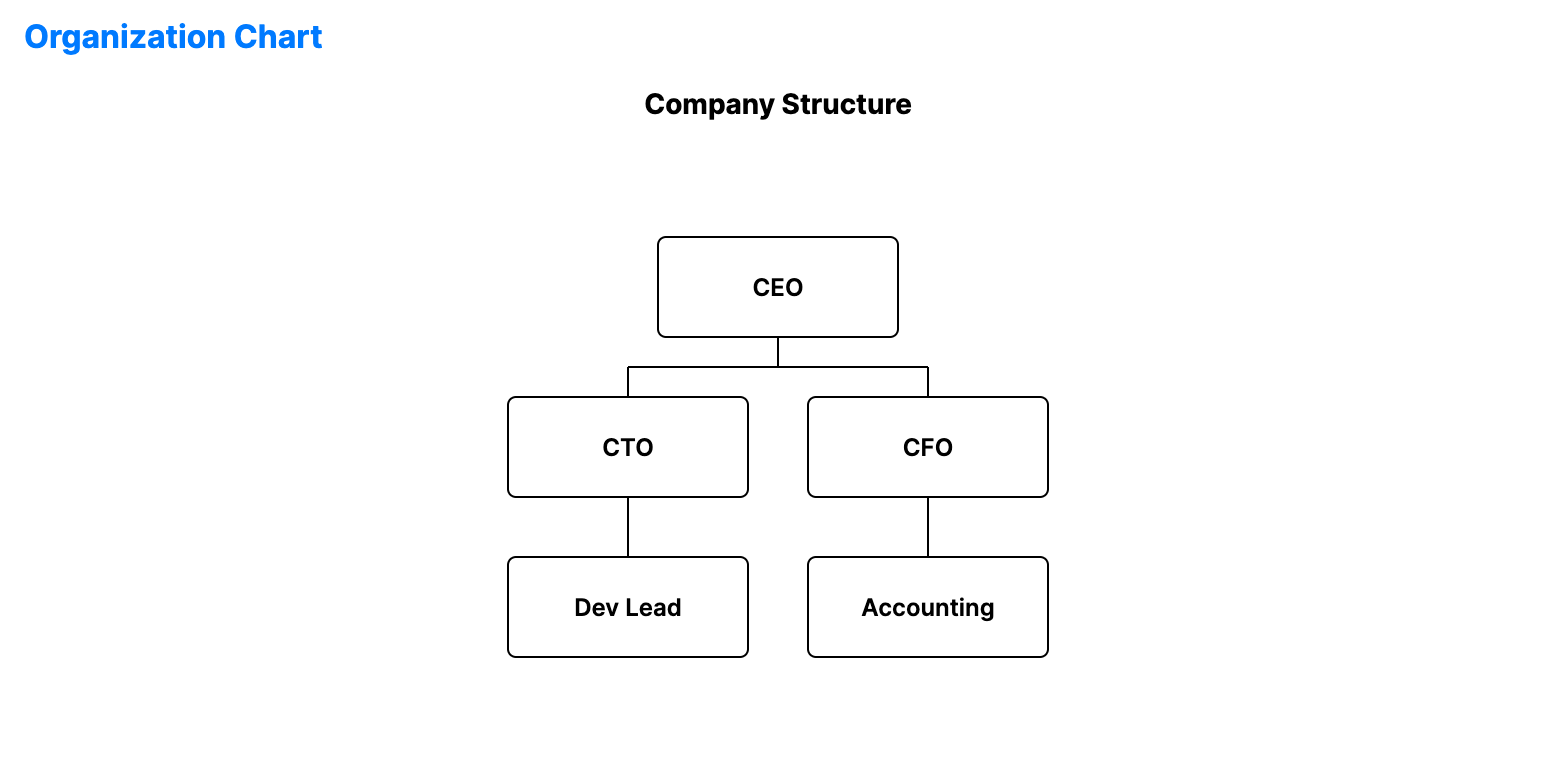
Organization charts represent the structure of an organization, clarifying reporting relationships, relative ranks, and positions/job roles.
When to use
- Company directory: Visualizing the reporting structure of a business.
- Project hierarchy: Mapping out product owners, developers, and stakeholders.
- Family trees: Displaying genealogical relationships and lineages.
Code example
XAML
<OrganizationChart xmlns="https://github.com/avaloniaui" Name="OrganizationChartSample" Title="Company Structure" Height="350"
                                               ItemsSource="{Binding OrgChartData}" LabelPath="Name" ChildrenPath="Reports" />
Data model (C#)
public class OrgNode
{
    public string Name { get; set; } = string.Empty;
    public string Position { get; set; } = string.Empty;
    public ObservableCollection<OrgNode> Reports { get; set; } = new();
}

public ObservableCollection<OrgNode> OrgChartData { get; } = new()
{
    new OrgNode { Name = "CEO", Reports = {
        new OrgNode { Name = "CTO", Reports = {
            new OrgNode { Name = "Dev Lead" }
        }},
        new OrgNode { Name = "CFO", Reports = {
            new OrgNode { Name = "Accounting" }
        }}
    }}
};
Common properties
| Property | Description | Default |
|---|---|---|
ItemsSource | The hierarchical data source (root nodes). | null |
LabelPath | Property name for the node labels. | null |
ChildrenPath | Path to the collection of child nodes. | null |
Orientation | Horizontal or Vertical layout. | Vertical |
NodeWidth | Width of each node box. | 120.0 |
NodeHeight | Height of each node box. | 50.0 |
NodeGap | Gap between levels and sibling nodes. | 30.0 |