Force-Directed Graph
info
Charts are available with Avalonia Pro.
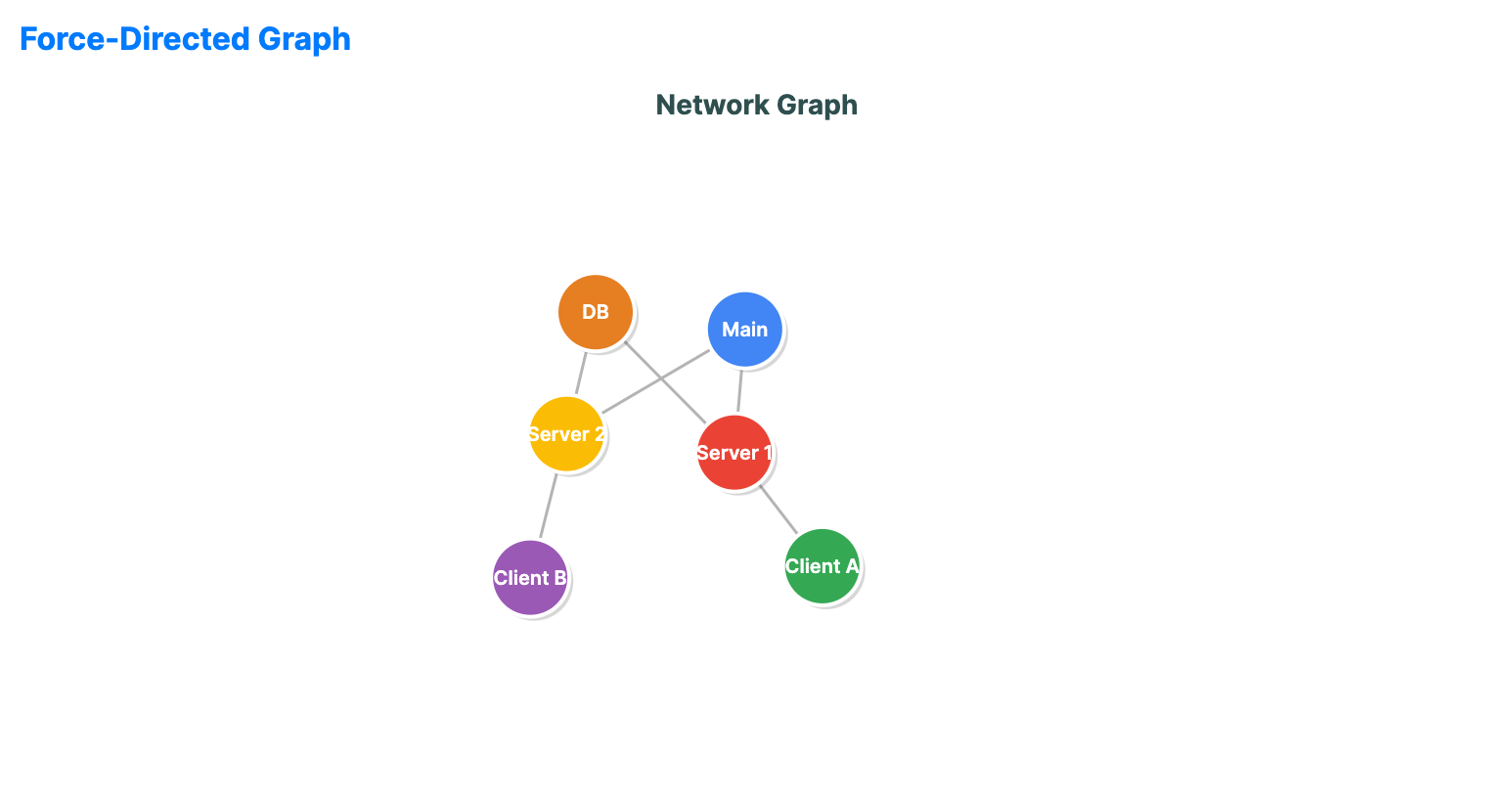
Force-directed graphs use physical simulations to lay out network nodes. They help reveal clusters and structural relationships in complex interconnected data.
When to use
- Social networks: Visualizing friendships, followers, or community structures.
- Knowledge graphs: Showing relationships between concepts, entities, or research papers.
- System architecture: Mapping microservices and their communication links.
Code example
XAML
<ForceDirectedGraph xmlns="https://github.com/avaloniaui" Name="ForceGraphSample" Title="Network Graph" Height="400"
                             NodesSource="{Binding ForceNodes}"
                             EdgesSource="{Binding ForceEdges}"
                             NodeIdPath="Id"
                             NodeLabelPath="Label"
                             EdgeSourcePath="Source"
                             EdgeTargetPath="Target" />
Data model (C#)
public record GraphNode(string Id, string Label);
public record GraphEdge(string Source, string Target);

public ObservableCollection<GraphNode> ForceNodes { get; } = new()
{
    new("N1", "Main"),
    new("N2", "Server 1"),
    new("N3", "Server 2"),
    new("N4", "Client A"),
    new("N5", "Client B"),
    new("N6", "DB")
};

public ObservableCollection<GraphEdge> ForceEdges { get; } = new()
{
    new("N1", "N2"),
    new("N1", "N3"),
    new("N2", "N6"),
    new("N3", "N6"),
    new("N2", "N4"),
    new("N3", "N5")
};
Common properties
| Property | Description | Default |
|---|---|---|
NodesSource | Collection of nodes. | null |
EdgesSource | Collection of links. | null |
NodeIdPath | Property path for each node identifier. | null |
NodeLabelPath | Property path for each node label. | null |
EdgeSourcePath | Property path for each edge source identifier. | null |
EdgeTargetPath | Property path for each edge target identifier. | null |
NodeRadius | Radius of the node circles. | 20.0 |
RepulsionForce | Strength of the repulsive force between nodes. | 5000.0 |
AttractionForce | Strength of the attraction force along edges. | 0.01 |
IsAnimationEnabled | Runs the simulation and animated layout transitions. | true |