Network chart
info
Charts are available with Avalonia Pro.
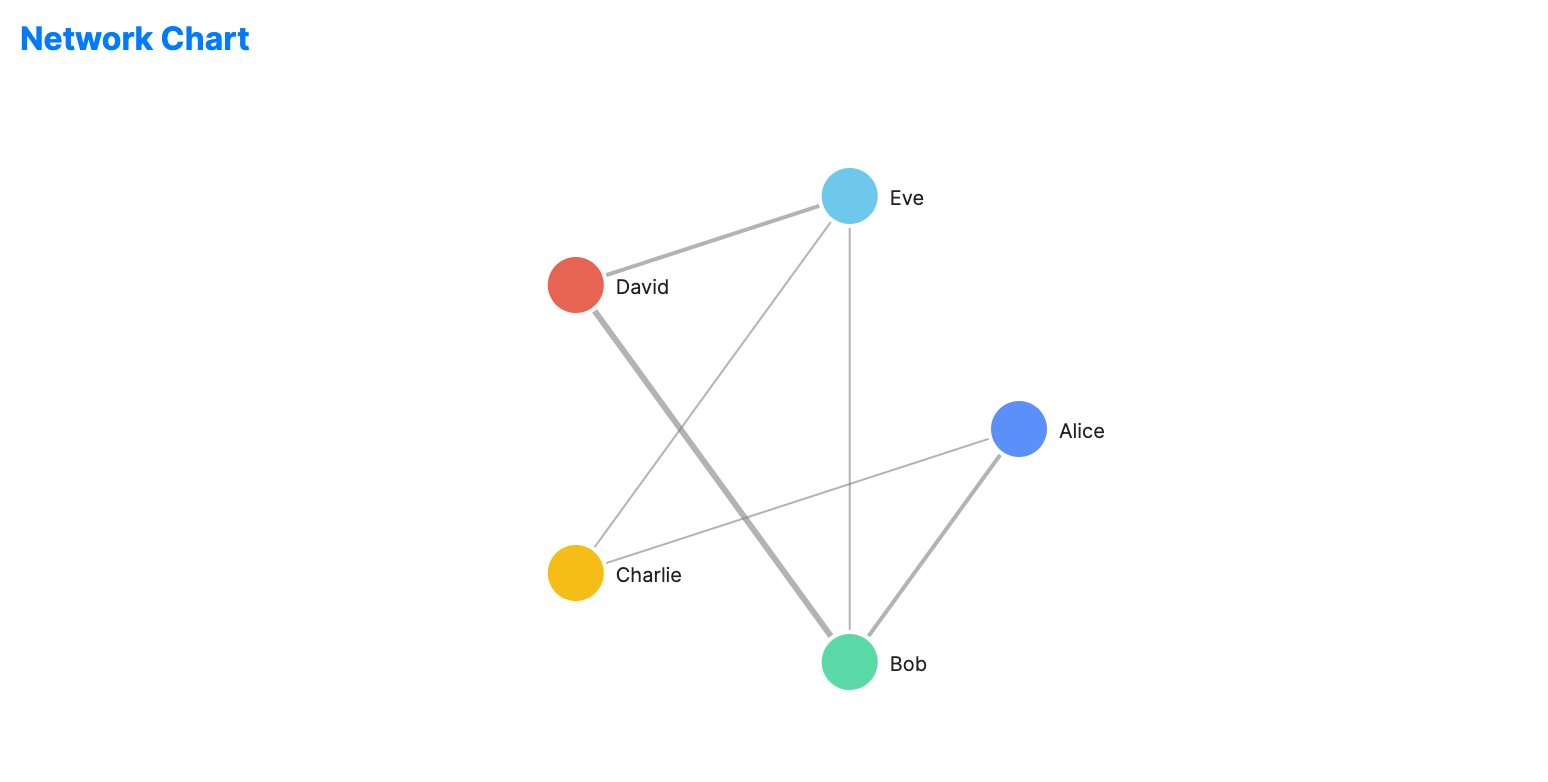
Network charts provide a high-level view of nodes and edges. They are simpler and more static than force-directed graphs, suitable for fixed structural diagrams.
When to use
- Infrastructure diagrams: Showing servers and their connections.
- Routing tables: Mapping paths between network points.
- Dependency trees: Visualizing module relationships in a system.
Code example
XAML
<NetworkChart xmlns="https://github.com/avaloniaui" Name="NetworkChartSample" Title="Social Network" Height="350"
                       Nodes="{Binding NetworkNodes}"
                       Edges="{Binding NetworkEdges}" />
Data model (C#)
public ObservableCollection<NetworkNode> NetworkNodes { get; } = new()
{
    new() { Id = "A", Label = "Alice", X = 0, Y = 0 },
    new() { Id = "B", Label = "Bob", X = 0, Y = 0 },
    new() { Id = "C", Label = "Charlie", X = 0, Y = 0 },
    new() { Id = "D", Label = "David", X = 0, Y = 0 },
    new() { Id = "E", Label = "Eve", X = 0, Y = 0 }
};

public ObservableCollection<NetworkEdge> NetworkEdges { get; } = new()
{
    new() { Source = "A", Target = "B", Weight = 2 },
    new() { Source = "A", Target = "C", Weight = 1 },
    new() { Source = "B", Target = "D", Weight = 3 },
    new() { Source = "C", Target = "E", Weight = 1 },
    new() { Source = "D", Target = "E", Weight = 2 },
    new() { Source = "B", Target = "E", Weight = 1 }
};
NetworkChart uses NetworkNode and NetworkEdge objects directly, so labels and weights are defined on those types rather than through extra property-path settings.
Common properties
| Property | Description | Default |
|---|---|---|
Nodes | The collection of graph nodes. | null |
Edges | The collection of graph edges. | null |