Funnel chart
info
Charts are available with Avalonia Pro.
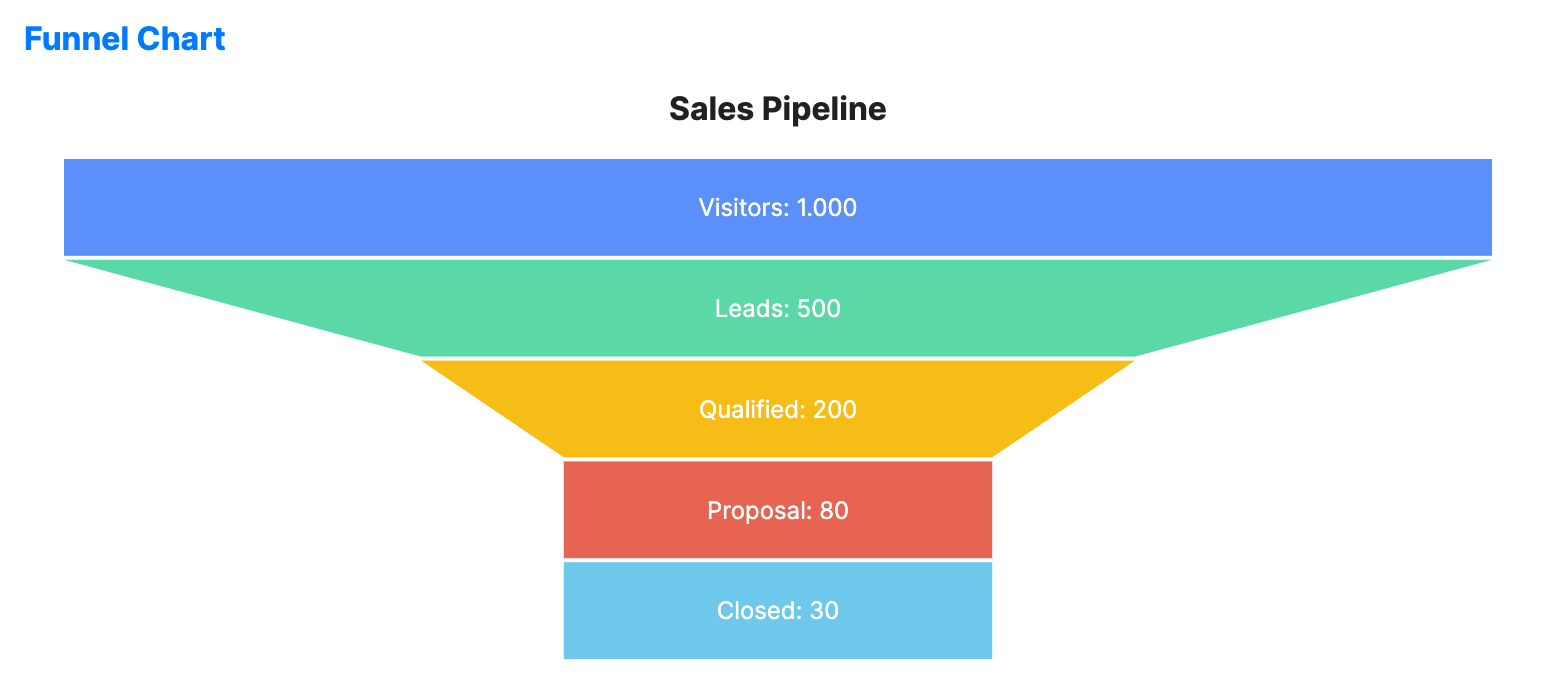
Funnel charts visualize the progressive reduction of data as it passes from one phase to another. Use them to identify bottlenecks in a linear process.
When to use
- Sales pipelines: Tracking potential customers from lead to closed sale.
- Conversion rates: Monitoring website visitors through a checkout process.
- Recruitment: Visualizing candidates at each stage of the hiring process.
Code example
XAML
<FunnelChart xmlns="https://github.com/avaloniaui" Title="Sales Pipeline" Height="300"
                      ItemsSource="{Binding FunnelData}"
                      LabelPath="Stage" ValuePath="Value"/>
Data model (C#)
public record FunnelItem(string Stage, double Value);

public ObservableCollection<FunnelItem> FunnelData { get; } = new()
{
    new("Visitors", 1000),
    new("Leads", 500),
    new("Qualified", 200),
    new("Proposal", 80),
    new("Closed", 30)
};
Common properties
| Property | Description | Default |
|---|---|---|
Title | The name shown at the top. | null |
ItemsSource | The collection of process stages. | null |
ValuePath | Path to the property representing the quantity at each stage. | null |
LabelPath | Path to the property for the stage names. | null |
NeckWidth | The width of the funnel "neck" as a ratio (0-1). | 0.3 |
SegmentGap | The gap between funnel segments. | 2.0 |
ShowLabels | Whether to display labels on segments. | true |
ShowValues | Whether to display numeric values on the chart. | true |
LabelFontSize | Font size used for segment labels. | 12.0 |
LabelForeground | Brush used for segment labels. When null, labels use white. | null |
IsHighlightEnabled | Enables hover highlighting for funnel segments. | false |
IsSelectionEnabled | Whether selection is enabled for funnel segments. | false |
SelectionMode | Selection behavior for funnel segments. | SingleDeselect |
SelectionBrush | Brush used for selected segments. | #314A6E |
SelectionStroke | Outline brush used for selected segments. | null |
SelectionStrokeThickness | Outline thickness used for selected segments. | 2.0 |
SelectedIndex | Index of the selected segment, or -1 when nothing is selected. | -1 |