Step line chart
info
Charts are available with Avalonia Pro.
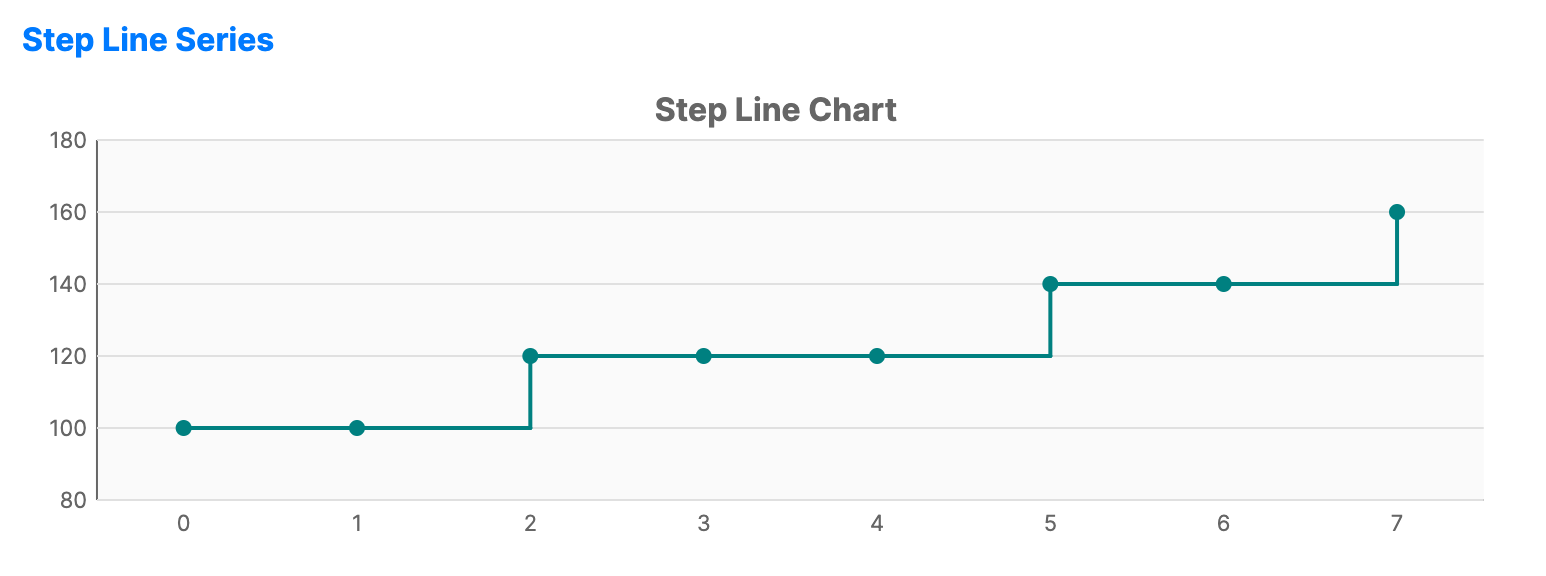
Step line charts use horizontal and vertical lines to connect data points, creating a step-like pattern. They are useful for showing changes that occur at discrete intervals.
When to use
- Price changes: Visualizing interest rates, price tiers, or inventory levels.
- Discrete transitions: When the value remains constant between data points.
- Digital signals: Representing binary or state-based data.
Code example
XAML
<CartesianChart xmlns="https://github.com/avaloniaui" Name="StepLineChart" Title="Step Line Chart" Height="250">
                        <CartesianChart.HorizontalAxis>
                            <CategoryAxis />
                        </CartesianChart.HorizontalAxis>
                        <CartesianChart.VerticalAxis>
                            <NumericalAxis />
                        </CartesianChart.VerticalAxis>
                        <CartesianChart.Series>
                            <StepLineSeries Title="Price" ItemsSource="{Binding StepLineSeriesData}" Stroke="Teal" StrokeThickness="2" MarkerSize="6"  ShowMarkers="True"/>
                        </CartesianChart.Series>
                    </CartesianChart>
Data model (C#)
public ObservableCollection<int> StepLineSeriesData { get; } =
    new() { 100, 100, 120, 120, 120, 140, 140, 160 };
Common properties
| Property | Description | Default |
|---|---|---|
Title | The name of the series. | null |
ItemsSource | The collection of data items. | null |
CategoryPath | Path to the property used for the X-axis value. | null |
ValuePath | Path to the property used for the Y-axis value. | null |
Stroke | Color of the step line. | Theme-dependent |
StrokeThickness | Width of the line. | 2 |
ShowMarkers | Whether to display markers at each data point. Marker styling is visible only when this is true. | false |
MarkerSize | The size of the markers in pixels. | 6 |
MarkerShape | The shape of the markers, such as Circle or Square. | Circle |
MarkerFill | Brush used to fill the markers. | null |
MarkerStroke | Brush used for the marker outlines. | null |
MarkerStrokeThickness | Thickness of the marker outlines. When NaN, the series StrokeThickness is used. | NaN |
StepMode | HorizontalFirst, VerticalFirst, or Center. | HorizontalFirst |