Stacked bar chart
info
Charts are available with Avalonia Pro.
Stacked bar charts represent multiple series of data stacked on top of each other, allowing for comparison of both the total and the individual components.
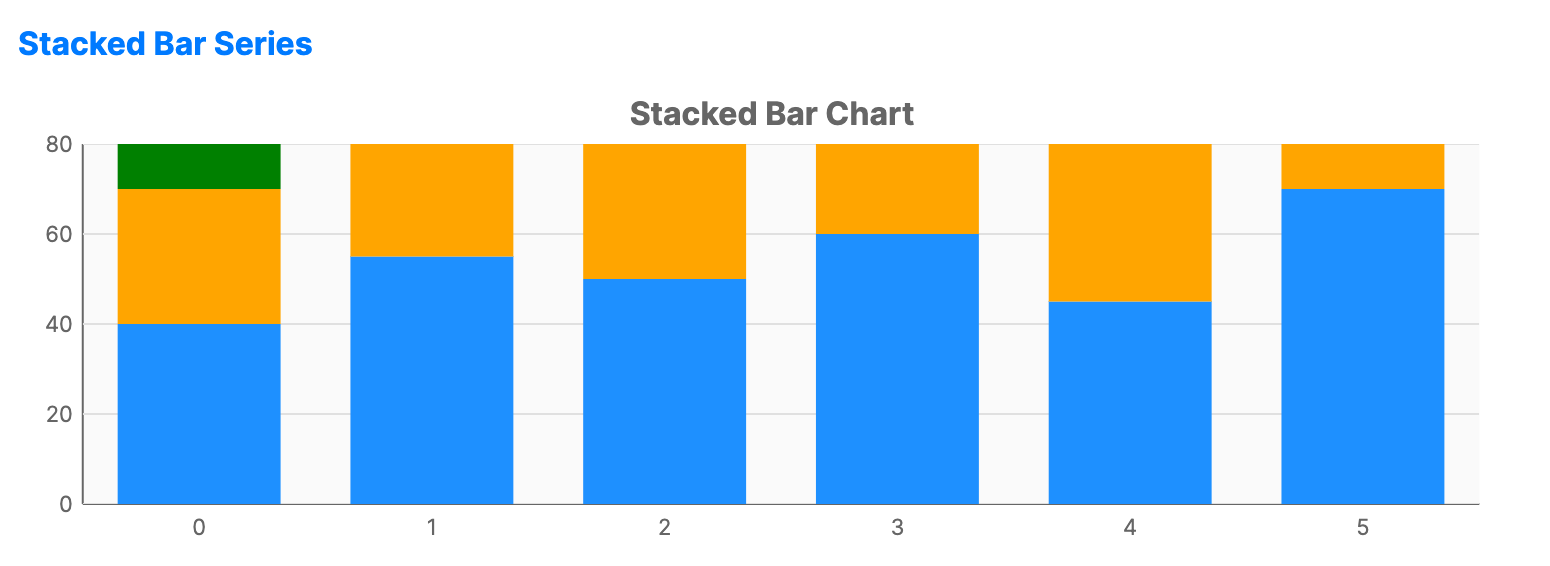
When to use
- Part-to-Whole: Visualizing how many smaller parts make up a larger total category.
- Categorical comparison: Comparing totals across different groups while seeing internal distribution.
- Space optimization: Showing multiple data series without needing separate bars for each.
Code example
XAML
<CartesianChart xmlns="https://github.com/avaloniaui" Name="StackedBarChart" Title="Stacked Bar Chart" Height="250" ShowLegend="True">
                        <CartesianChart.HorizontalAxis>
                            <CategoryAxis />
                        </CartesianChart.HorizontalAxis>
                        <CartesianChart.VerticalAxis>
                            <NumericalAxis />
                        </CartesianChart.VerticalAxis>
                        <CartesianChart.Series>
                            <StackedBarSeries Title="Product A" ItemsSource="{Binding StackedBarProductA}" Fill="DodgerBlue" />
                            <StackedBarSeries Title="Product B" ItemsSource="{Binding StackedBarProductB}" Fill="Orange" />
                            <StackedBarSeries Title="Product C" ItemsSource="{Binding StackedBarProductC}" Fill="Green" />
                        </CartesianChart.Series>
                    </CartesianChart>
Data model (C#)
public ObservableCollection<int> StackedBarProductA { get; } = new()
{
    40, 55, 50, 60, 45, 70
};

public ObservableCollection<int> StackedBarProductB { get; } = new()
{
    30, 35, 40, 45, 35, 50
};

public ObservableCollection<int> StackedBarProductC { get; } = new()
{
    20, 25, 30, 25, 30, 35
};
Common properties (StackedBarSeries)
| Property | Description | Default |
|---|---|---|
Title | The name shown in the legend. | null |
ItemsSource | The collection of data for this specific part of the stack. | null |
CategoryPath | Path to the shared category value for each bar. | null |
ValuePath | Path to the numeric value for this series. | null |
Fill | Background color for this series segment. | Auto-generated |
StackGroup | Identifier used to stack related series together. | "default" |
BarWidth | Width of each bar as a fraction of the available slot. | 0.7 |
BarCornerRadius | Rounding for the bar segments. | 0 |