Crosshairs
info
Charts are available with Avalonia Pro.
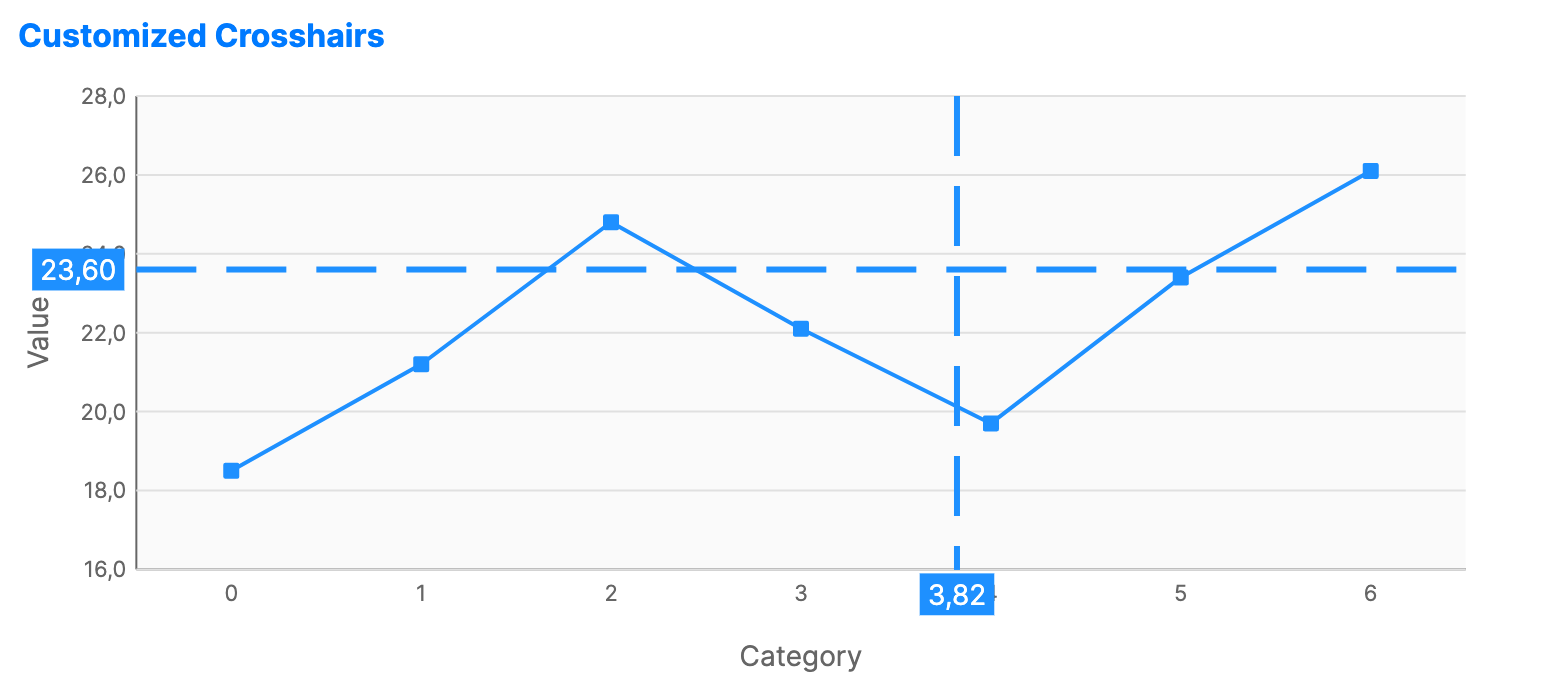
Crosshairs are interactive guide lines that follow the user's cursor. They help users align data points with axis labels in high-precision charts.
Crosshair labels use the configured axis formatting. Continuous horizontal axes, logarithmic axes, scale breaks, and secondary vertical axes are reflected in the displayed coordinate labels.
When to use
- Financial charts: Pinpointing exact price and time on a candlestick chart.
- Engineering data: Measuring values on high-density line charts.
- Scientific graphs: Aligning specific peaks or valleys with coordinates.
Code example
XAML
<CartesianChart xmlns="https://github.com/avaloniaui" Name="CustomCrosshairChart" Height="300"
                                             CrosshairMode="Both"
                                             ShowCrosshairLabels="True"
                                             CrosshairStroke="DodgerBlue"
                                             CrosshairStrokeThickness="3"
                                             CrosshairLabelBackground="DodgerBlue"
                                             CrosshairLabelForeground="White"
                                             CrosshairLabelFontSize="14">
                        <CartesianChart.CrosshairDashStyle>
                            <DashStyle Dashes="10, 5" Offset="0" />
                        </CartesianChart.CrosshairDashStyle>
                        <CartesianChart.Series>
                            <LineSeries Title="Series 2" ItemsSource="{Binding CrosshairData}"
                                                 Stroke="DodgerBlue" StrokeThickness="2"
                                                 MarkerSize="6" MarkerFill="DodgerBlue"
                                                 MarkerShape="Square"  ShowMarkers="True"/>
                        </CartesianChart.Series>
                        <CartesianChart.HorizontalAxis>
                            <CategoryAxis Title="Category" />
                        </CartesianChart.HorizontalAxis>
                        <CartesianChart.VerticalAxis>
                            <NumericalAxis Title="Value" />
                        </CartesianChart.VerticalAxis>
                    </CartesianChart>
Data model (C#)
public ObservableCollection<double> CrosshairData { get; } = new()
{
    18.5, 21.2, 24.8, 22.1, 19.7, 23.4, 26.1
};
Common properties
| Property | Description | Default |
|---|---|---|
CrosshairMode | None, Vertical, Horizontal, or Both. | None |
ShowCrosshairLabels | Toggles value labels on the axes. | true |
CrosshairStroke | Brush used for the guide lines. When null, a dim gray brush is used. | null |
CrosshairStrokeThickness | Width of the guide lines. | 1.0 |
CrosshairDashStyle | Dash style for the guide lines. When null, the chart uses a 4,4 dash pattern. | null |
CrosshairLabelBackground | Brush used behind crosshair labels. When null, a translucent dark brush is used. | null |
CrosshairLabelForeground | Brush used for crosshair label text. When null, white is used. | null |
CrosshairLabelFontSize | Font size for crosshair labels. | 10.0 |