Swimlane chart
info
Charts are available with Avalonia Pro.
Swimlane charts organize tasks or processes into distinct horizontal or vertical "lanes." They help visualize workflows across different departments or roles.
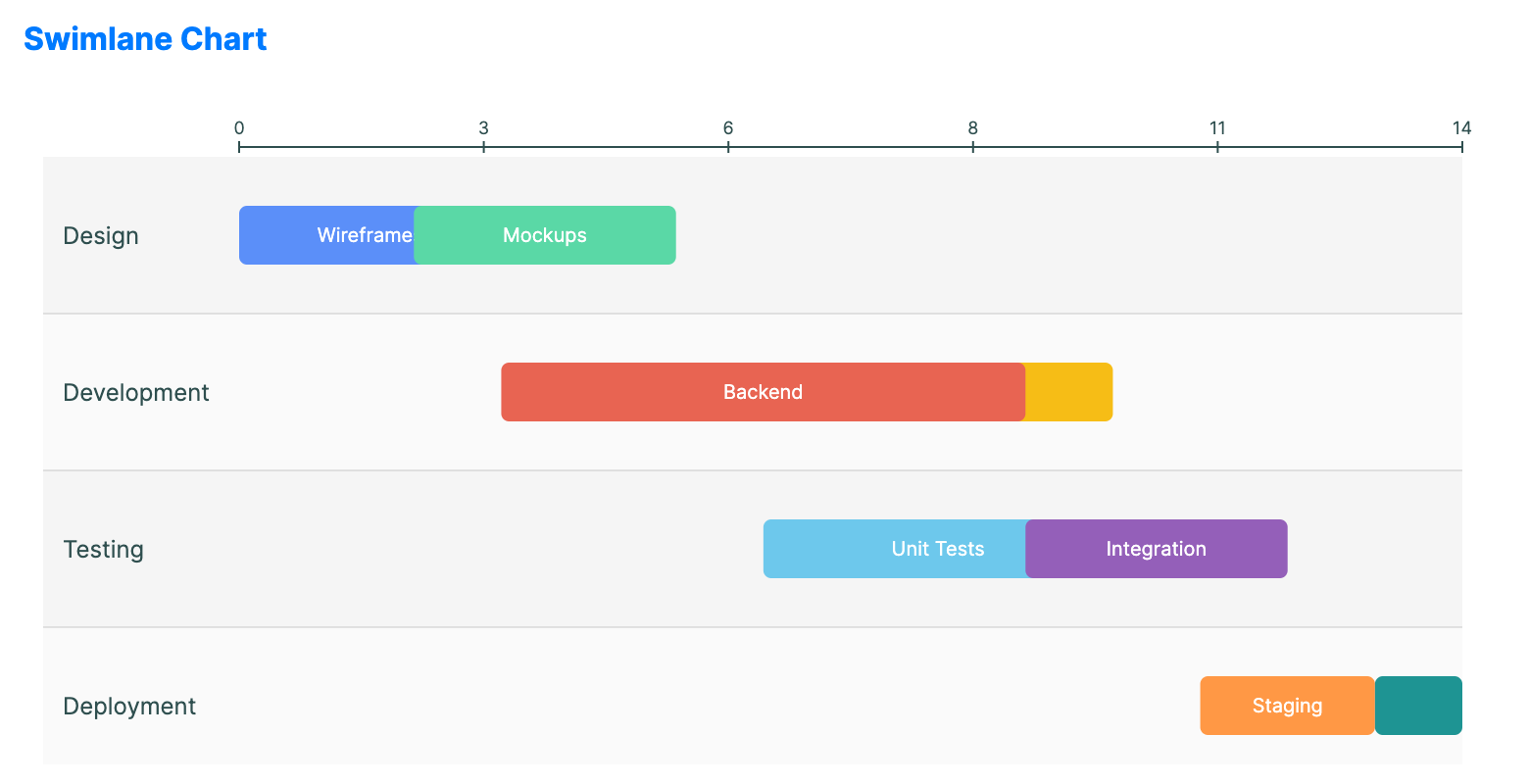
When to use
- Process mapping: Showing how a request moves between Sales, Engineering, and Support.
- Project scheduling: Visualizing task ownership across team members.
- Cross-functional flows: Clarifying responsibilities in a complex business process.
Code example
XAML
<SwimlaneChart xmlns="https://github.com/avaloniaui" Name="SwimlaneSample"
                                            Title="Process Flow"
                                            Height="350"
                                            ItemsSource="{Binding SwimlaneTasks}"
                                            LanePath="Lane"
                                            TaskNamePath="Task"
                                            StartPath="Start"
                                            EndPath="End"
                                            BrushPath="Brush"
                                            LaneHeight="90"
                                            TaskHeight="34"
                                            TaskSpacing="8"
                                            TaskCornerRadius="8"
                                            LaneSeparatorBrush="{DynamicResource DemoSwimlaneLaneSeparatorBrush}"
                                            LaneBackgroundBrush="{DynamicResource DemoSwimlaneLaneBackgroundBrush}" />
Data model (C#)
using Avalonia.Media;

public record SwimlaneTask(string Lane, string Task, double Start, double End, IBrush? Brush = null);

public ObservableCollection<SwimlaneTask> SwimlaneTasks { get; } = new()
{
    new("Design", "Wireframes", 0, 3, Brushes.DodgerBlue),
    new("Design", "Mockups", 2, 5, Brushes.SteelBlue),
    new("Development", "Frontend", 4, 10, Brushes.SeaGreen),
    new("Development", "Backend", 3, 9, Brushes.MediumSeaGreen),
    new("Testing", "Unit Tests", 6, 10, Brushes.Orange),
    new("Testing", "Integration", 9, 12, Brushes.DarkOrange),
    new("Deployment", "Staging", 11, 13, Brushes.MediumPurple),
    new("Deployment", "Production", 13, 14, Brushes.Purple)
};
StartPath and EndPath expect numeric values. Use your own scale, for example days, hours, sprint points, or sequence positions. Overlapping tasks in the same lane are stacked into rows using TaskSpacing.
Common properties
| Property | Description | Default |
|---|---|---|
ItemsSource | The collection of tasks/items. | null |
LanePath | Determines which lane the task belongs to. | null |
TaskNamePath | Label for the individual task block. | null |
StartPath | Property name for the numeric start value of the task span. | null |
EndPath | Property name for the numeric end value of the task span. | null |
BrushPath | Property name used to bind an IBrush or color string for each task. | null |
LaneHeight | Height of each lane. | 80.0 |
TaskHeight | Height of each task bar. | 30.0 |
TaskSpacing | Spacing between tasks when stacked in the same lane. | 5.0 |
LaneSeparatorBrush | Brush used for lane separator lines. | null |
LaneBackgroundBrush | Brush used for alternating lane backgrounds. | null |
ShowTaskLabels | Whether to display labels inside task bars. | true |
TaskCornerRadius | Corner radius applied to task bars. | 4.0 |