Box plot chart
info
Charts are available with Avalonia Pro.
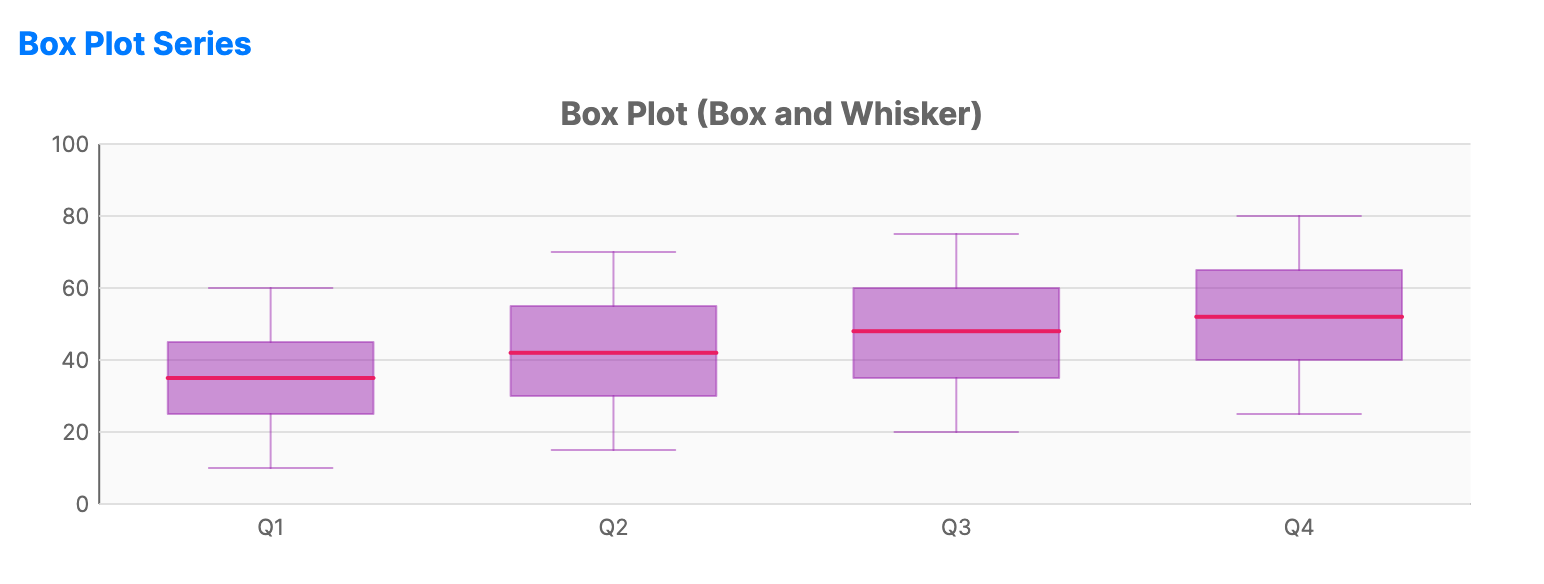
A box plot (or box-and-whisker plot) provides a graphical summary of the distribution, central tendency, and variability of data, including quartiles and outliers.
When to use
- Statistical analysis: Comparing the distribution of several datasets (e.g., test scores across different classes).
- Outlier detection: Identifying extreme data points that fall outside the "whiskers."
- Range visualization: Showing the minimum, maximum, median, and interquartile range at a glance.
Code example
XAML
<CartesianChart xmlns="https://github.com/avaloniaui" Name="BoxPlotSample" Title="Box Plot (Box and Whisker)" Height="250">
    <CartesianChart.HorizontalAxis>
        <CategoryAxis />
    </CartesianChart.HorizontalAxis>
    <CartesianChart.VerticalAxis>
        <NumericalAxis />
    </CartesianChart.VerticalAxis>
    <CartesianChart.Series>
        <BoxPlotSeries Title="Distribution"
                                ItemsSource="{Binding BoxPlotData}"
                                CategoryPath="Category"
                                MinPath="Min" Q1Path="Q1" MedianPath="Median" Q3Path="Q3" MaxPath="Max"
                                Fill="#7E9C27B0" />
    </CartesianChart.Series>
</CartesianChart>
Data model (C#)
public record BoxPlotPoint(string Category, double Min, double Q1, double Median, double Q3, double Max);

public ObservableCollection<BoxPlotPoint> BoxPlotData { get; } = new()
{
    new("Q1", 10, 25, 35, 45, 60),
    new("Q2", 15, 30, 42, 55, 70),
    new("Q3", 20, 35, 48, 60, 75),
    new("Q4", 25, 40, 52, 65, 80)
};
Common properties
| Property | Description | Default |
|---|---|---|
ItemsSource | The collection of statistical data points. | null |
MinPath | Path to the minimum value. | null |
MaxPath | Path to the maximum value. | null |
MedianPath | Path to the median value. | null |
Q1Path | Path to the first quartile (25th percentile). | null |
Q3Path | Path to the third quartile (75th percentile). | null |
BoxWidth | Width of the box as a fraction of the category slot. | 0.6 |
MedianStroke | Brush used for the median line inside the box. | null |
WhiskerThickness | Thickness of the whisker lines. | 1.0 |
Fill | Brush used for the "box." | Theme-dependent |
Stroke | Color of the whiskers and box outline. | Theme-dependent |