Set up your IDE
Configure your preferred IDE for Avalonia development. Install extensions for Visual Studio, Visual Studio Code, or JetBrains Rider.
Avalonia works with several IDEs. Choose the one that fits your workflow best.
- Visual Studio
- Visual Studio Code
- Rider
If you're working on Windows, Visual Studio with the Avalonia for Visual Studio extension provides a rich XAML editing and preview experience. The extension supports Visual Studio 2022 version 17.12 and above.
The Avalonia for Visual Studio extension is part of Avalonia Plus, a suite of professional development tools.
To install Avalonia for Visual Studio:
- In Visual Studio, go to Extensions → Manage Extensions.
- In the search bar, input "Avalonia".
- Click Install.
- Follow any additional installation instructions. You may need to close and reopen Visual Studio to complete the installation.
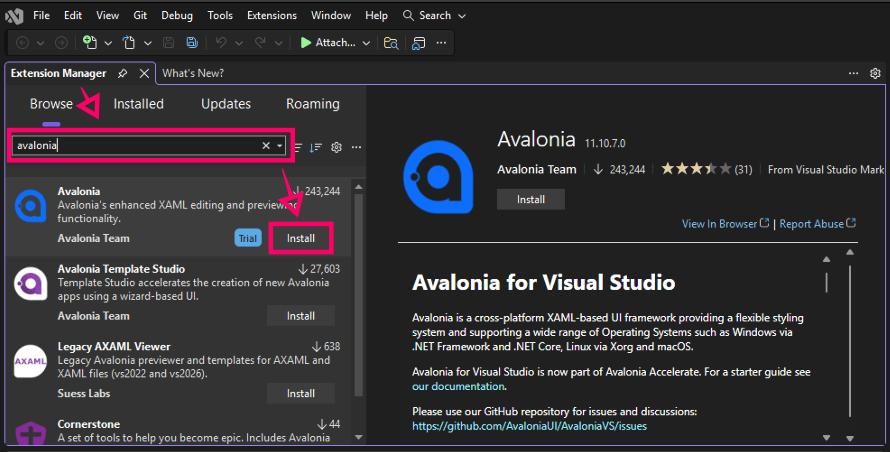
Alternatively, you can download the extension from the Visual Studio Marketplace.
See the Avalonia for Visual Studio page for details of features and settings.
If you are using an older version of Visual Studio, you may need to download an older version of the extension from the Marketplace, e.g., the 2019 version.
For more information on using the XAML previewer, see the page on XAML live preview.
The Avalonia for Visual Studio Code extension is built on the same XAML parser that powers the Visual Studio extension. Both IDEs share the same underlying engine, so every code editing enhancement lands in VS Code simultaneously.
The extension provides rich IntelliSense with contextual completions, full x:DataType Quick Info, Go To Definition for XAML, automatic namespace imports, event handler generation, actionable diagnostics, and a reliable built-in XAML previewer with proper DPI handling.
To install Avalonia for Visual Studio Code:
- In Visual Studio Code, open the Extensions view (Ctrl+Shift+X).
- In the search bar, input "Avalonia".
- Click Install on the Avalonia for VSCode entry published by "Avalonia Team".
- Reload Visual Studio Code if prompted.
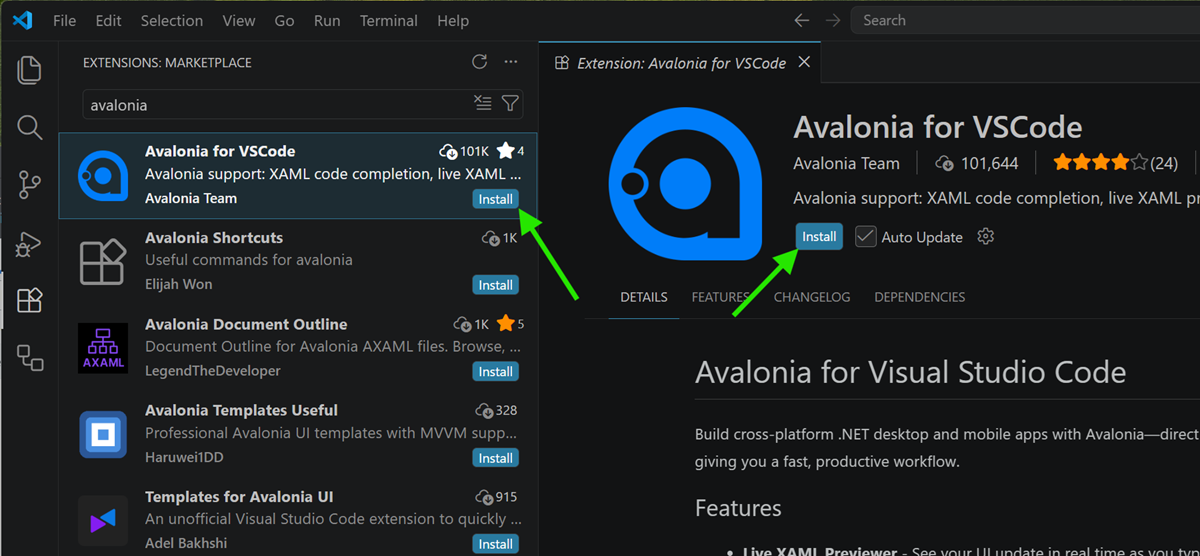
Alternatively, you can download the extension from the Visual Studio Marketplace.
For more information on using the XAML previewer, see the page on XAML live preview.
JetBrains Rider is recommended if you use macOS or Linux. Rider offers a complete, polished development experience on these operating systems, including built-in support for XAML.
Consider installing the third-party plugin AvaloniaRider, which enables live preview of your XAML as you work.
To install AvaloniaRider:
- In JetBrains Rider, go to Settings → Plugins.
- Go to the Marketplace tab.
- In the search bar, input "AvaloniaRider".
- Click Install.
- Follow any additional installation instructions. You may need to close and reopen JetBrains Rider to complete the installation.
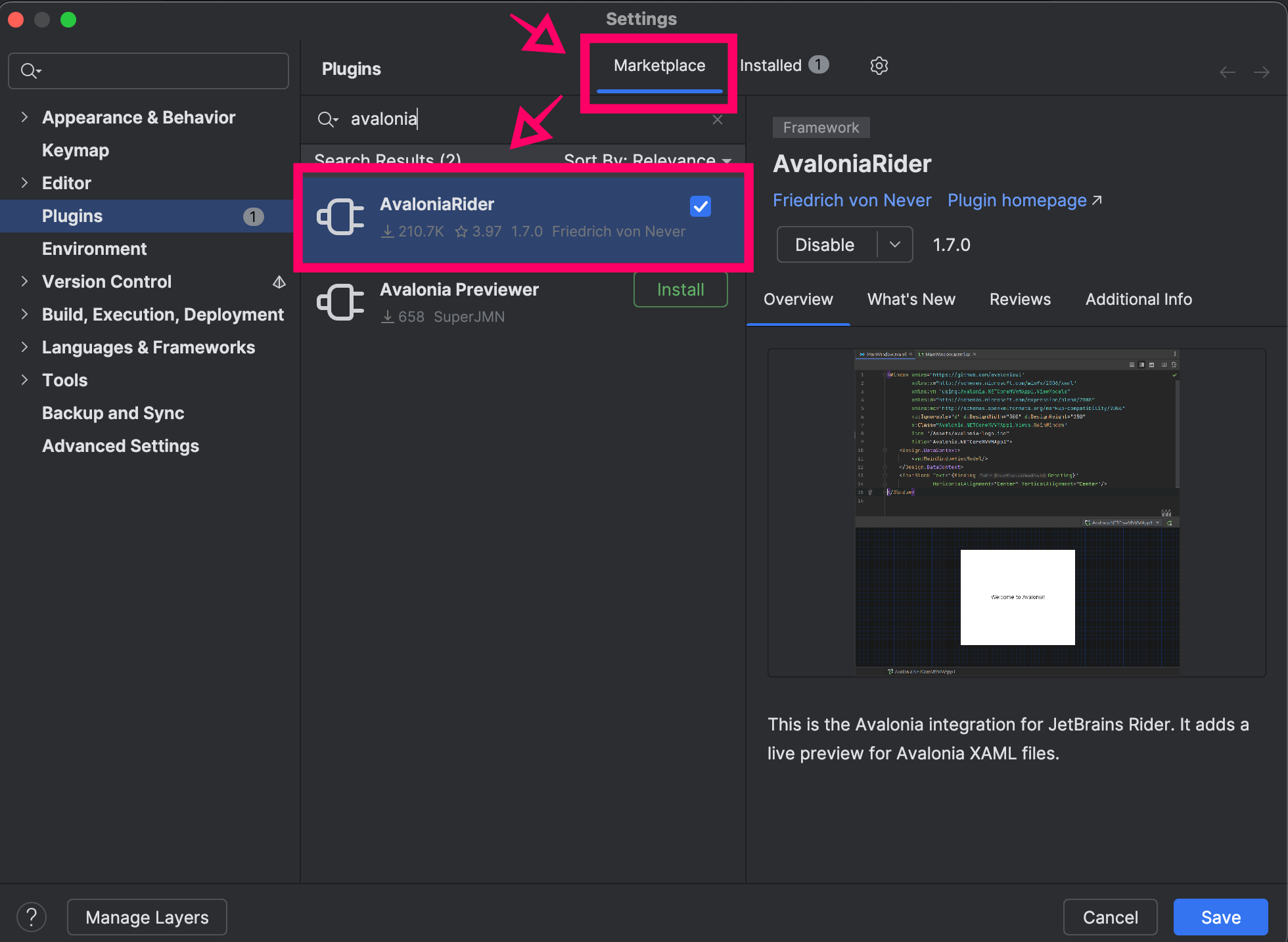
For more information on using the XAML previewer, see the page on XAML live preview.