Assigning subscription seats
Your Avalonia subscription includes a certain number of seats, which must be assigned to members of your organization before they can use the advanced features of Avalonia Plus, Pro, Enterprise or XPF. This step-by-step guide shows you how to assign seats to your users.
Seat assignment works identically for both Avalonia and XPF subscriptions.
You must be an Admin of your organization to assign seats.
Log into the Avalonia portal
| 1. Go to the Avalonia portal, https://portal.avaloniaui.net/. | 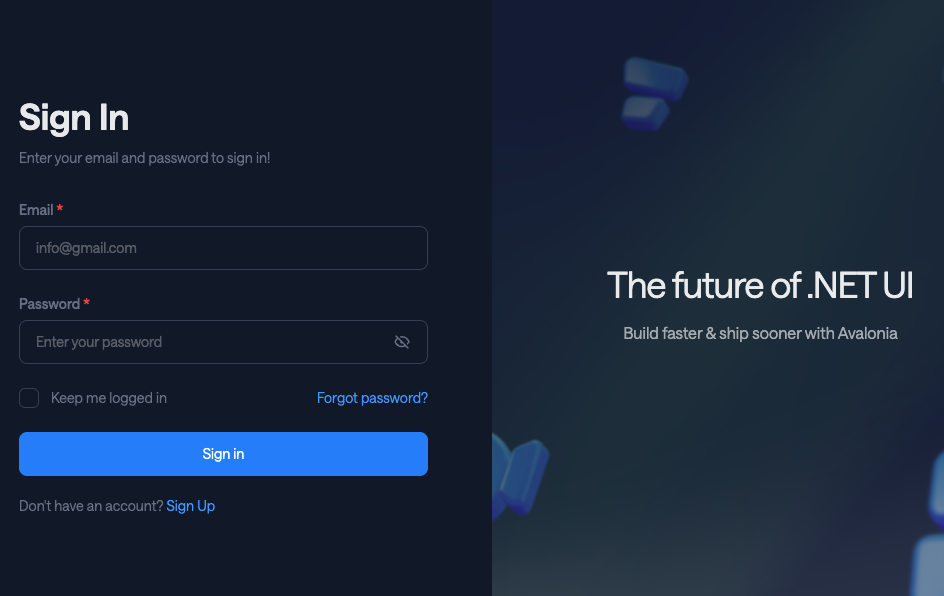 |
| 2. Sign in with your credentials. |
Go to the subscription management page
| 3. Click the relevant subscription plan from the tiles on the home page. | 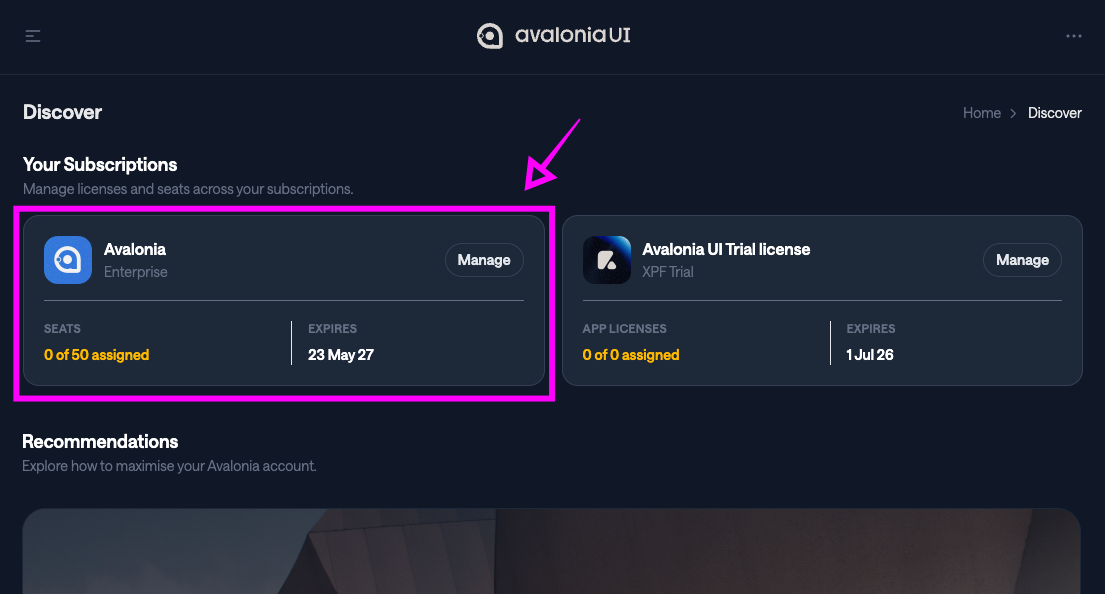 |
| 4. Click Manage Subscription at the upper right of the subscription page. | 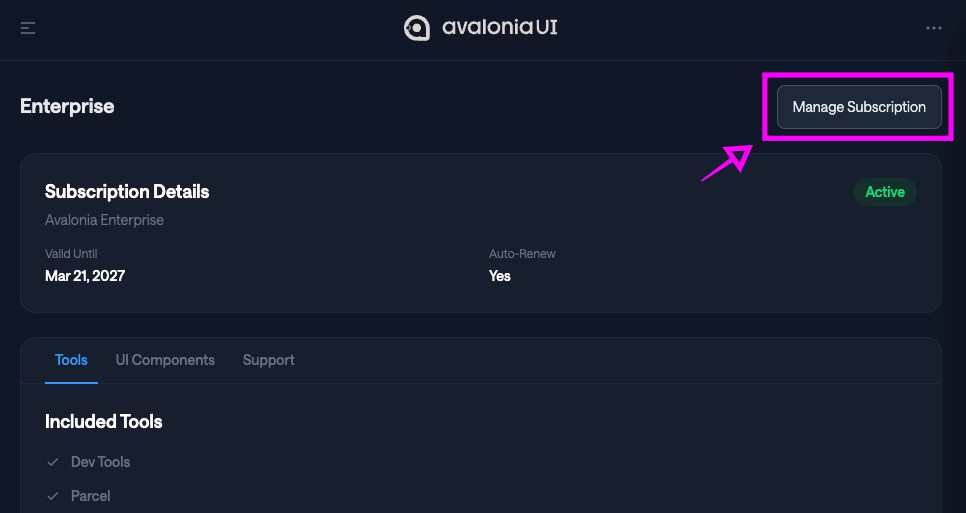 |
Assign seats to users
| 5. Scroll down the subscription management page until you find the Assigned Seats section. | 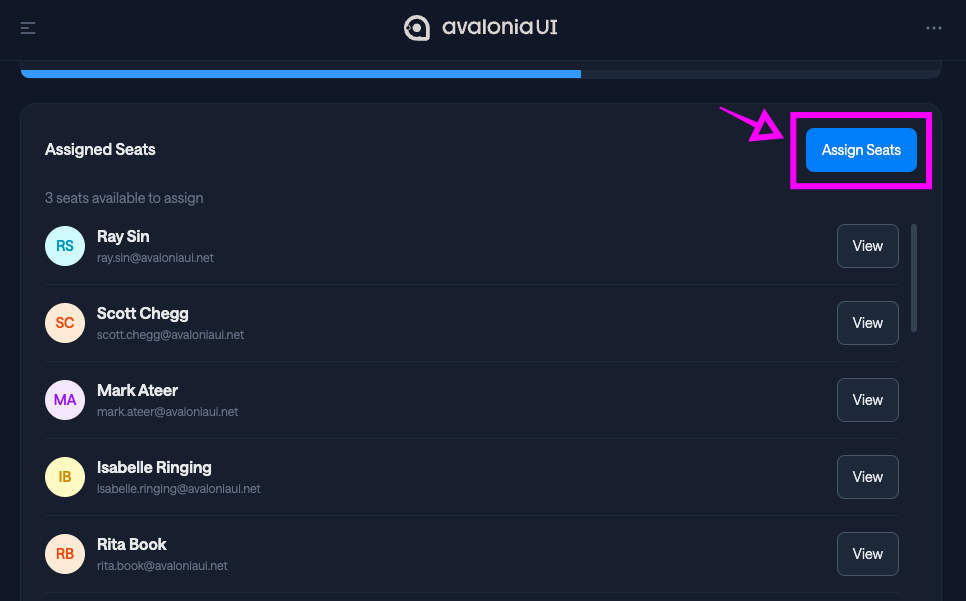 |
| 6. Click Assign Seats. | |
| 7. In the selection modal, tick the user(s) to whom you wish to assign a seat. | 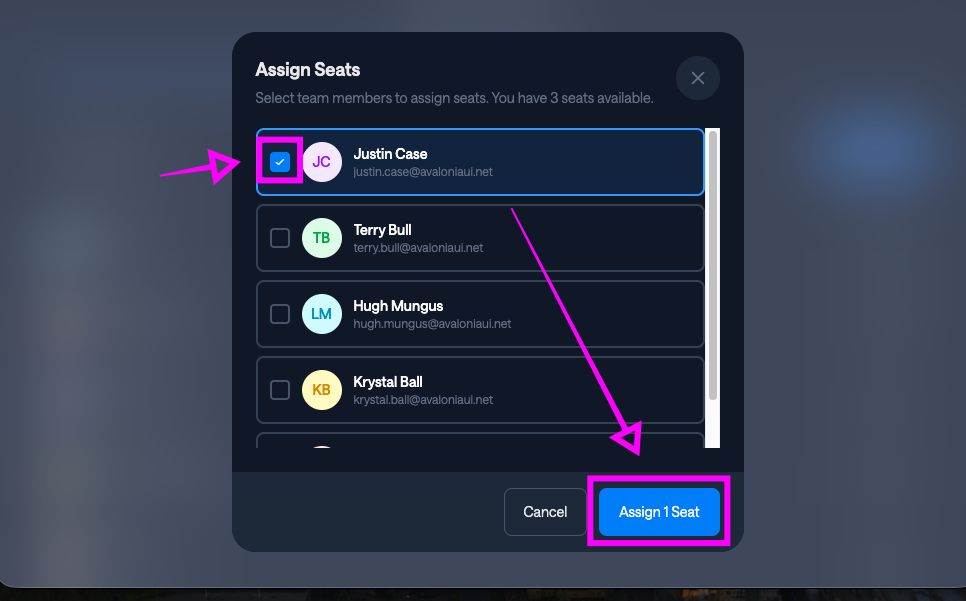 |
| 8. Click Assign. |
danger
Once assigned, a seat cannot be unassigned or reassigned.
If you believe you have assigned a seat to the wrong user by mistake, open a ticket in the portal.